01 · Activity
What's happening, and for how long.
Recognises actions — eating, sleeping, sitting, walking, cooking — and tracks how long each one lasts.
Project 02 · OmniVision
Custom cameras through the home, all inference on a Mac on-site. OmniVision learns who's there and what they're doing — and the moment something is wrong, it acts. Footage never leaves the house.
What it is
OmniVision brings the multimodality of modern AI — vision, sound, context — together with temporal inference and action-capable agents, and points all of it at elderly care, whether in a private home or a care facility. It becomes a 24/7 caretaker: it watches, understands what's happening over time, alerts the moment something is wrong, speaks with residents and carers, and keeps the context and the record of every single day.
Privacy First
All inference runs on a Mac in the home — no video ever leaves the house.
24/7
Always watching — reading scenes, people and context, and the meaning behind them.
Real Time
Alerts the moment something matters.
Personal
Learns each resident's routine and adapts to them.
How it works
01 · Activity
Recognises actions — eating, sleeping, sitting, walking, cooking — and tracks how long each one lasts.
02 · Identity
Knows the resident, family, and carers apart — and notices someone who shouldn't be there.
03 · Routine
Learns the normal day and flags deviations — a skipped meal, a restless night, a missed dose.
04 · Falls
Catches a fall or a collapse the instant it happens, and escalates without waiting to be asked.
05 · Situations
Flags a door or window left open, a stove left on, a walker left out of reach.
06 · For carers
Turns hours of awareness into a calm summary — what happened, and what needs a look.
The system
Step 01 · See
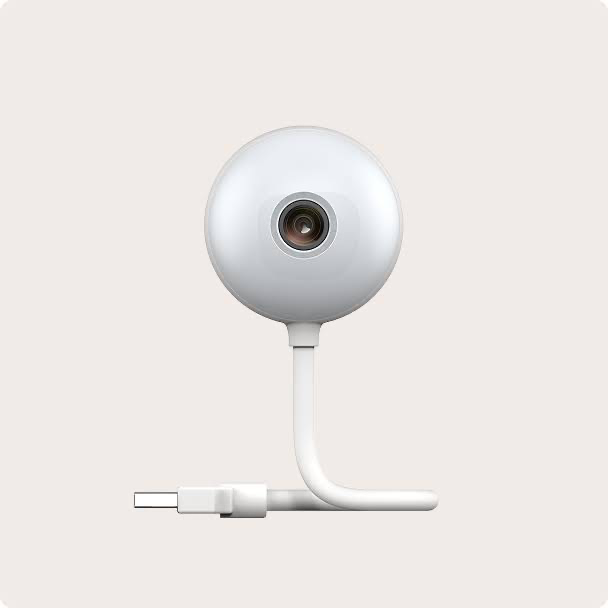
No walled garden. Unlike closed systems like Nest or Alarm.com, OmniVision works with any camera that streams 1080p or higher over HDMI — we recommend models we trust, but you can keep what you already own. Resolution and frame rate drive both the cost and the accuracy of inference, so we set each feed's refresh rate to exactly what its room needs to watch.
Step 02 · Understand
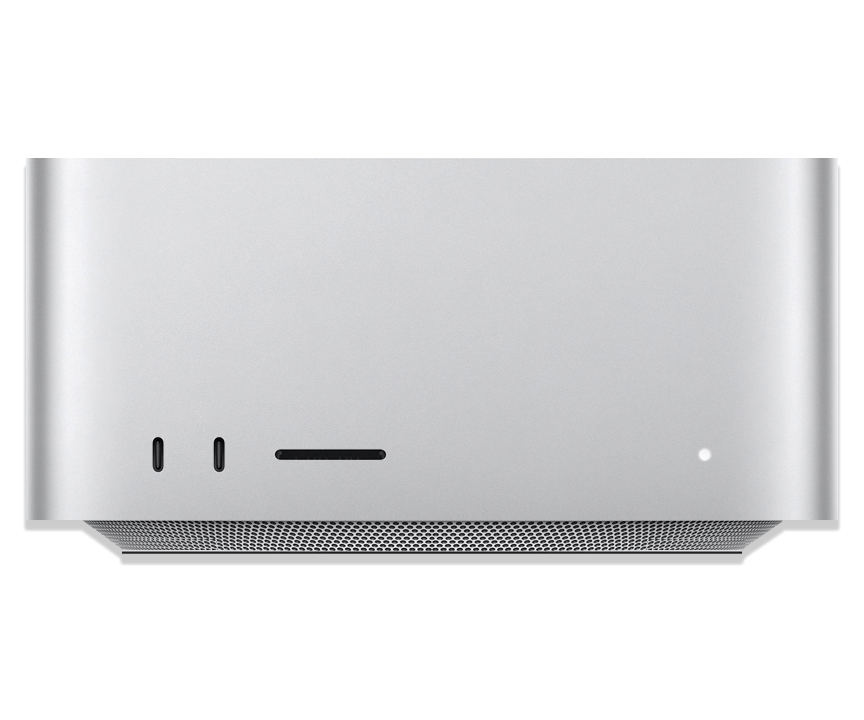
Every frame is understood on-site, in real time — the model runs locally, so raw video never has to leave the house. We run inference on Apple Silicon: the number and quality of your streams set the starting spec — a room or two on a Mac mini, a whole home on a Mac Studio — and compute stacks modularly as your needs grow.
It acts
OmniVision plugs into most of the communication, scheduling, time-management and admin tools a household already runs. It can message the family on WhatsApp, add the cleaner's visit to the calendar, or call the resident to check in — handling the small, constant work of care on its own, and looping in a human the moment one is needed.

Configure
Compute doesn't scale with how many cameras you have — it scales with how many the model is understanding at once. A light presence check runs on every camera; the heavy model only wakes where someone is. Describe the home and we'll work out the on-site Apple silicon, bought once, no cloud.
One per room or area you want covered.
Heavy inference runs only in occupied rooms — far less compute.
In a private home this is usually one. A care facility, several.
Higher resolution helps fine detail like faces — at more compute.
a few looks a second.
detection, pose & fall models. Each adds to the load.
1 of 8 understood at once · gated
1× Mac Studio
M4 Max · 36GB · 1 active stream
on-device · MLX: YOLO11 · RTMPose · OpenClaw
An estimate — we confirm the exact build with you. Footage never leaves the home.
Bring it home
Independence for them, peace of mind for you — without a single frame of video leaving the house.
Request access →